I wanted my projector's Home screen to get me back to what I was watching without opening Stremio first. I have a Xiaomi Mi Box connected to it, and CleanYourTV gave me a starting point for cleaning up and customizing that screen. With Codex, I ended up ricing the box: changing how Home looks and behaves.
It started with removing analytics and promotional stuff, and installing a cleaner launcher. Then came the usual sequence of "what else can we do?" By the end I had a custom home screen with Continue Watching, recommendations, a scrollable dock, and a button that starts Google Photos while keeping a clock as the default screensaver.
I called the custom launcher TV Shelves. I wanted the same setup on my other TV, so I put some thought into making it a reusable CleanYourTV fork, with the launcher under shelves/. That gave me a starting point for the TCL too, though it had a few firmware quirks of its own.
Cleaning up without breaking the useful bits
My box identifies itself as MIBOX4, codename oneday, running Android TV 9 on firmware PI.3933. CleanYourTV already had a matching device profile.
The project uses ADB, Android's debugging connection from a computer, to back up the existing state, disable unwanted packages, and install a replacement home screen, or launcher. No root or firmware flashing. The cleanup uses Android's pm disable-user, so the disabled system packages can be enabled again.
Having a matching profile was useful, but I still needed to check what it would disable. The version we inspected included Chromecast, voice search, the phone remote, and firmware updates. I wanted to keep all of those.
We tailored the cleanup to disable eight analytics and promotional packages, including Mi analytics, Alphonso tracking, PatchWall and Xiaomi promotional services. The stock Android TV launcher was disabled separately after the replacement was ready. Streaming apps and the services I actually use stayed enabled.
One partner configuration package was skipped by the tool's safety check. A later inspection of Google Partner Setup also ended with leaving it alone: it does partner configuration as well as attribution work, and we had no measured benefit from disabling it.
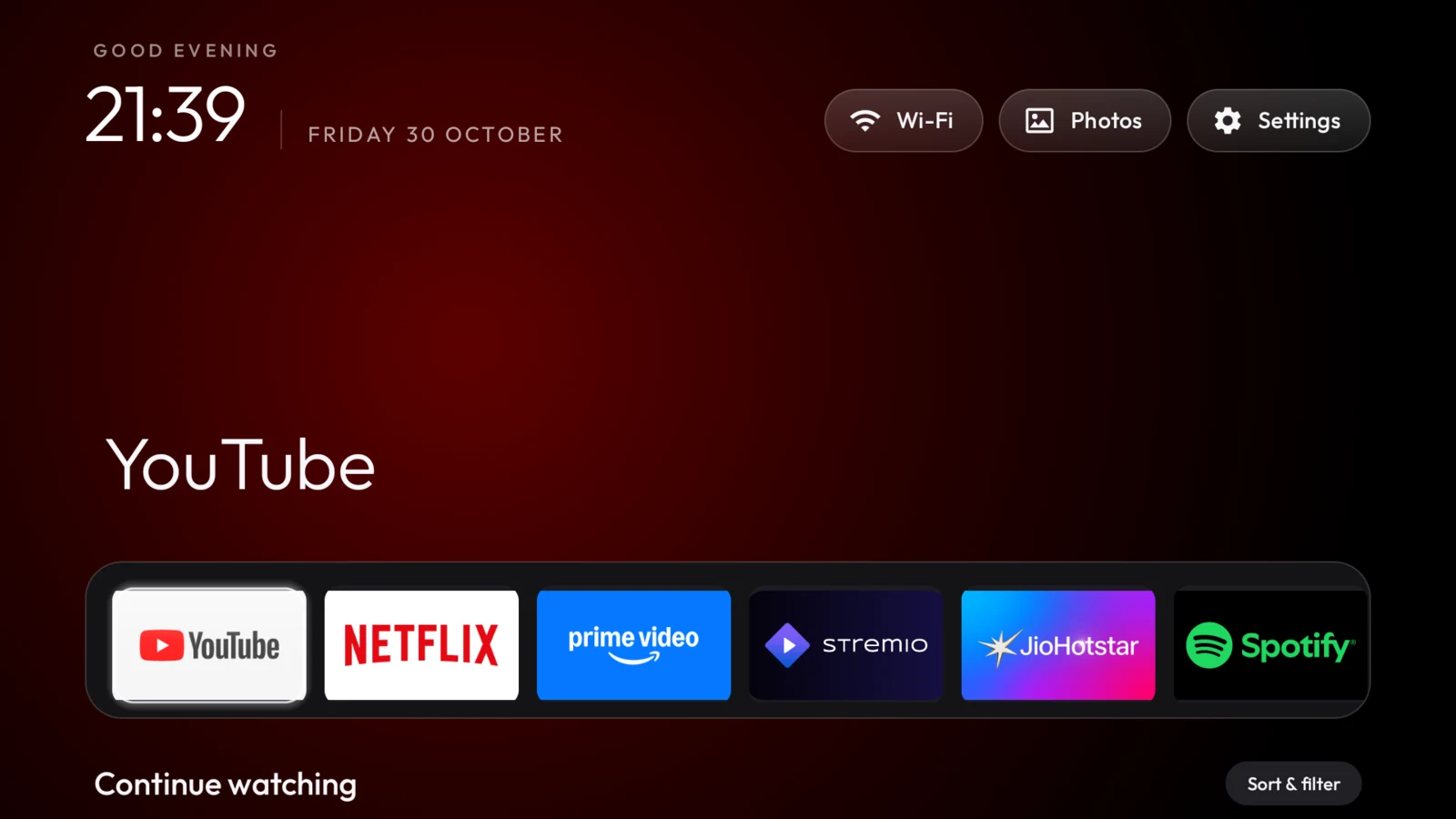
The first launcher had YouTube, Netflix, Prime Video, Stremio and Spotify in the dock. Black background, a large clock, an app-colored glow and a glass-like focus highlight. We checked that Home survived a reboot, apps opened, and the physical remote still worked.
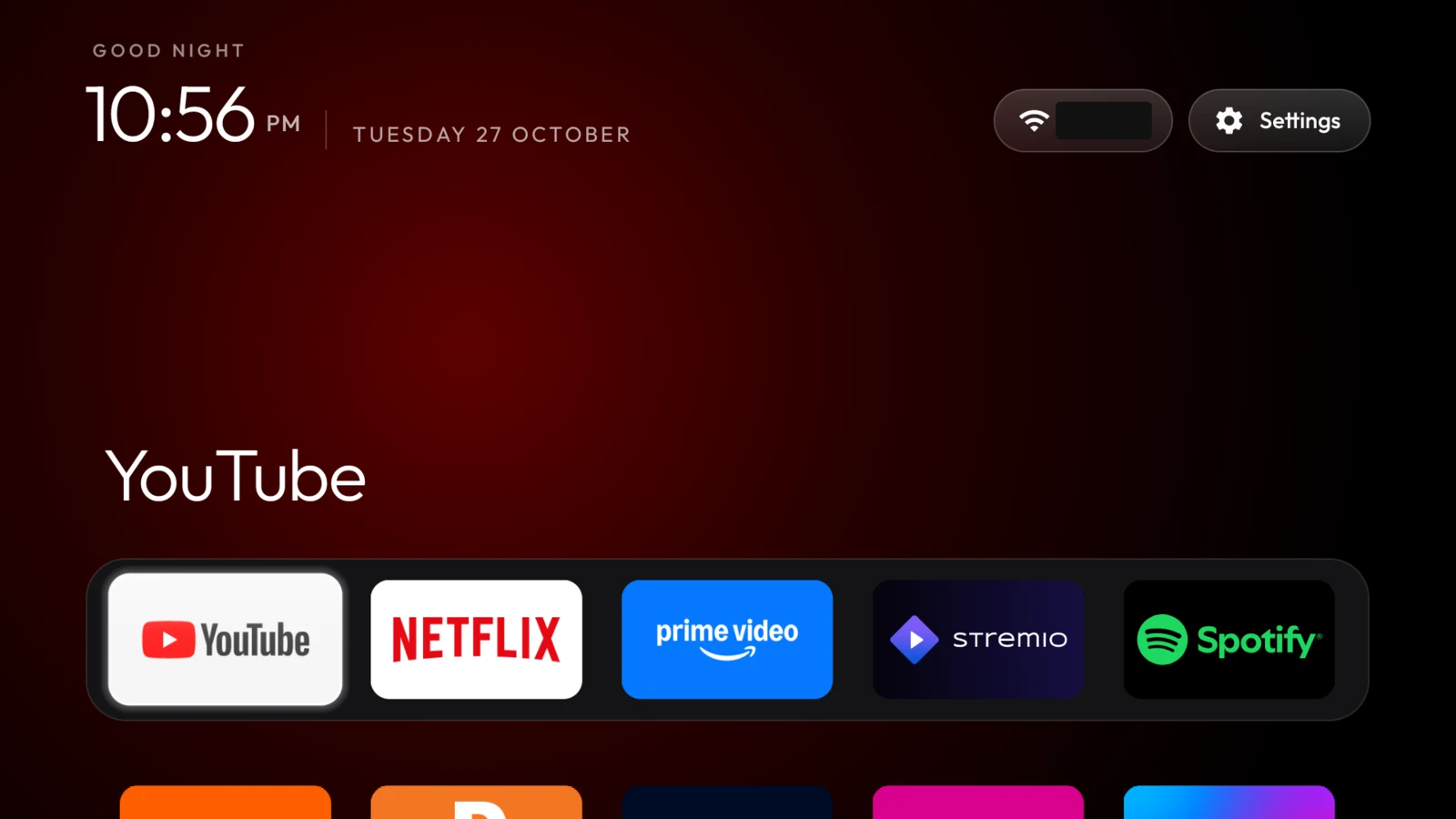
The first clean Home, before adding the media shelves. Wi-Fi name redacted.
Some maintenance while we were there
The box started with about 865 MB free. Clearing temporary app caches freed roughly 650 MB without clearing app data or sign-ins. There were also two old Stremio installer APKs in Downloads, taking up another 173 MB.
After deleting those and installing the pending updates for MX Player, JioHotstar and Google's speech service, free space settled at about 1.6 GB.
A fresh navigation check gave us no reason to change the animation settings. A short Stremio check also showed hardware decoding working, with playback advancing and no buffering or decoder errors in the sampled logs. These were brief checks, not a playback benchmark; picture smoothness and lip-sync still needed eyes and ears in front of the projector.
The firmware check was less encouraging. It reported that the system was up to date, while the installed security patch was still July 2021. We kept the updater enabled. Cleaning up Home doesn't change the age of the underlying OS.
I wanted Continue Watching back
Once the launcher was clean, we could work on the shortcut I wanted: resuming an episode straight from Home.
Android TV lets apps publish content for launchers in two places: preview channels, which are app-provided rows, and Watch Next, which is intended for content to resume or watch next. A temporary diagnostic app let us inspect what my installed apps were actually sharing.
Stremio's Continue Watching data was in its preview channels, rather than Watch Next. Prime Video and YouTube published Watch Next items, including some with playback progress. Netflix, Spotify and JioHotstar exposed content cards, but no visible resume rows in that snapshot.
That distinction mattered. A recommendation isn't automatically something I've started watching. Stremio also exposed movie and series library channels, but no separate Trakt or watchlist channel.
We built a local launcher fork that reads those app-published rows and uses their deep links, the shortcuts that open a particular item inside its app. It doesn't sign into the streaming services or collect their account credentials. What appears depends on what each app publishes, and the app still controls what happens when you open a card.
Sorting was more work than adding the rows
The first version had content, but I immediately wanted better sorting and filters.
Stremio didn't provide historical last-watched dates for its preview items. There wasn't enough information to put everything into an honest chronological order. We kept undated items behind dated ones and preserved their source order initially. If the launcher later observes a progress change, it records that observation locally for future sorting.
Continue Watching now defaults to started, unfinished items, with unstarted and next-episode suggestions hidden. It has persistent source filters and sorting by recent engagement, progress, app or title. Recommendations balance content across apps and remove duplicate titles and already-started shows.
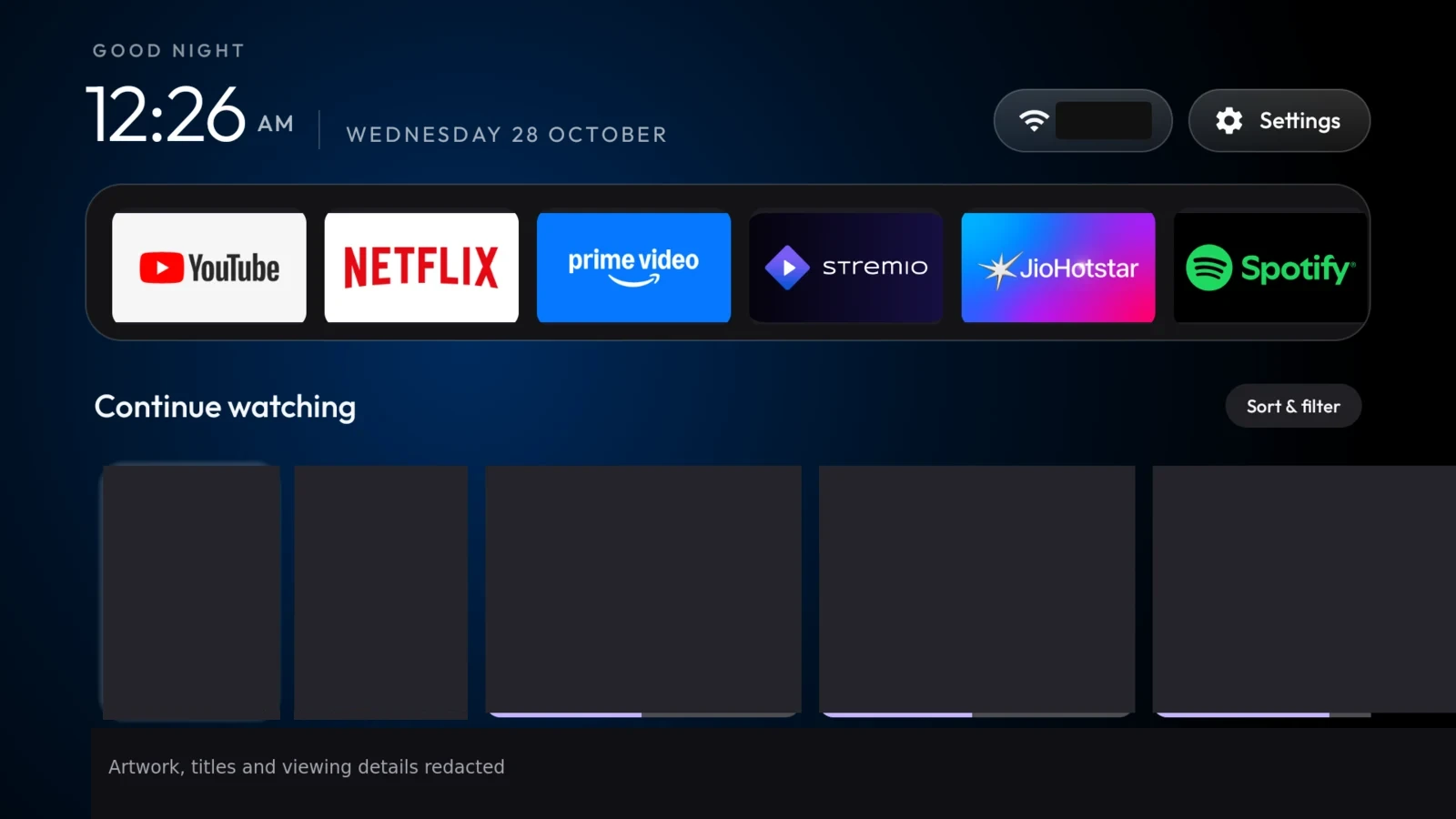
The populated Mi Box shelf. Artwork and viewing details are covered, leaving the card layout and playback-progress bars visible.
Both rows have a Sort & filter control reachable by pressing Up from a content card. Getting focus to return to the right place after changing a filter took another pass on the actual device. With a remote, that sort of detail is very noticeable.
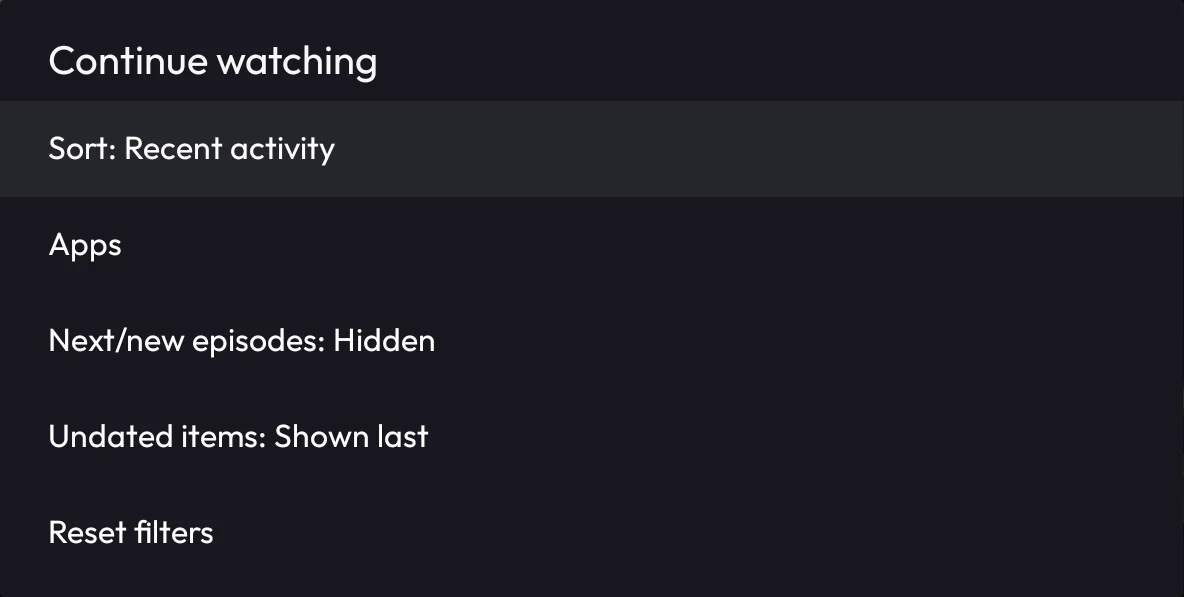
The Continue Watching menu, cropped to leave out the viewing history behind it.
I also expanded the dock to six pinned apps plus two recent apps that aren't already pinned, with horizontal scrolling. Recent apps use local usage history and don't upload it.
Somewhere during this, the custom UI had lost what I liked about the first launcher. I asked Codex to bring back the original clock placement, Outfit fonts, background glow and glass focus styling. We compared it against the first clean version and kept the new shelves underneath.
Clock by default, photos when I ask
The other feature I wanted was quite specific: keep the clock as the automatic screensaver, but give me one button to start Google Photos on demand.
The Photos button starts Google's existing Backdrop screensaver and restores the clock as the idle selection while the slideshow continues. I selected Recent Highlights in the Google Home phone app, and my photos started working. Google handles the albums; the launcher just opens its screensaver.
This needed more care than the button suggested. The shortcut requires WRITE_SECURE_SETTINGS, which is broader access than just launching Photos. The publishable version makes it optional and never grants that permission automatically.
We also checked that interrupted launches and a reboot wouldn't leave Photos selected in place of the clock. Recovery worked on my Android 9 box; the fork documentation explains the recovery mechanisms and what remains unverified on other firmware.
The clock stays the automatic screensaver. Photos runs when I ask for it.
Making the fork reusable for my other TV
I didn't want to repeat all this work for my other TV. The working Mi Box build still had assumptions from that device, so making the fork reusable was part of the plan. We gave TV Shelves its own app identity so it could coexist with the original launcher, added an installer with Home restoration, and made artwork downloads, recent apps and Photos opt-in.
Testing caught a useful Android behavior: installing a second Home app could clear the preferred Home selection. The installer now explicitly preserves the previous selection when you're only trying the app.
The build, automated tests and lint passed. We also tried the public version alongside my existing launcher on the Mi Box and checked navigation, shelves, filters and restoring Home before returning to my personalized build.
I published it as a proper fork of CleanYourTV on the tv-shelves branch, preserving upstream history. The setup and limitations are there too. It's source, without private TV captures, signing keys or prebuilt APKs.
Then I did the TCL TV too
The TCL was where that preparation paid off. It identified itself as a BeyondTV2 running Android TV 11, on a Realtek RTD2851 board with AR05 firmware. We reused our TV Shelves fork and six-app dock, but saved a separate backup and checked the cleanup list against that firmware.
Ten telemetry and promotional packages were disabled initially, while keeping streaming apps, casting, voice services, updates and TV inputs. TCL's partner customizer stayed enabled because of its role in remote handling. One promotional component needed disabling first because it could re-enable other promotional packages.
The stock launcher also ignored the normal default-Home selection. We verified the new launcher was working, then used the guarded cleanup tool to disable stock Home. After a reboot, Wi-Fi returned, TV Shelves stayed Home, and the disabled packages stayed off. YouTube, Netflix and Settings opened, and I confirmed the remote and playback worked.
The same launcher on the TCL, including the Photos shortcut. Its Continue Watching filters had no matching items at setup time.
I enabled the matching extras: recent apps, artwork downloads, the clock and Photos on demand. Personal Google Photos worked here too. Enabling the media features didn't mean the shelves were populated, though: Continue Watching had no matching items, and poster downloads hadn't been demonstrated on this TV yet.
The TCL had about 4 GiB free, roughly 40% of its data storage, so we left files and caches alone. A short navigation check did show occasional stutter, but it wasn't a playback benchmark.
The audit also caught the old Google recommendation service crashing when a screensaver started, because it expected stock Home to be available. Disabling that service brought the total to twelve disabled packages. Photos and the clock were retested without new fatal exceptions in that check.
We turned debugging off and confirmed the ADB port was closed. A manual restart was still pending for the final check that it stayed closed after boot. Having the launcher code ready made the second setup easier, but the Home handover and screensaver crash were good reasons to check the device rather than copy the Mi Box procedure blindly.
If you want to try it
This setup is for Android TV and Google TV devices. The upstream CleanYourTV quick start covers cleanup and its original launcher; you can use that without my custom shelves. Its computer-based route needs ADB access to the device, and a coding assistant can help follow the procedure.
To try TV Shelves, follow the fork's build and install instructions. There is no prebuilt APK: you need a computer with JDK 17, Python 3 and the Android SDK, including ADB. A coding agent is optional. The custom launcher is a separate choice from debloating: its installer lets you try it alongside your current Home without disabling the stock launcher. Photos, recent apps and artwork downloads are optional features with their own setup.
Where I left it
DNS filtering came up, but I decided to leave DNS unchanged. Removing sponsored Home rows also doesn't remove ads inside YouTube or other streaming apps.
The Mi Box has restore scripts for the cleanup and launcher, and a manual post-update checker that reports whether disabled packages or the original Home have returned. Once its testing was finished, we turned off debugging, revoked trusted-computer authorizations and confirmed the network ADB port was closed. The TCL has its own backup and restore script.
I now have the same Home styling on the projector setup and the TV, with the apps I wanted and Google Photos a button away. The whole thing started with asking Codex to find the Mi Box on my network. Apparently that was enough of an excuse to start ricing two devices.